Distribution plot
Seaborn basics
1 min read
This section is 1 min read, full guide is 42 min read
Published Oct 7 2025, updated Aug 17 2026
24
Show sections list
0
Log in to enable the "Like" button
0
Guide comments
0
Log in to enable the "Save" button
Respond to this guide
Guide Sections
Guide Comments
ChartsGraphsMatplotlibNumPyPandasPythonSeabornVisualisation
seaborn.displot() is a figure-level function for visualising distributions of one or two numeric variables.
It can create:
- Histograms
- Kernel Density Estimates (KDE)
- ECDF plots
- Faceted grids (multiple subplots by category)
It acts as a wrapper around:
sns.histplot()sns.kdeplot()sns.ecdfplot()
and provides additional faceting (subplot) capabilities.
Syntax:
sns.displot( data=None, *, x=None, y=None, hue=None, row=None, col=None, kind="hist", stat="count", bins="auto", binwidth=None, discrete=False, kde=False, fill=True, palette=None, multiple="layer", common_norm=True, common_bins=True, aspect=None, height=5, facet_kws=None, **kwargs)Parameters:
data= DataFrame containing the datax,y= Variables to plothue= Adds colour-coded subgroupsrow,col= Create multiple subplots (facets)kind= "hist", "kde", or "ecdf"stat= What the bar/curve height represents: "count", "probability", "percent", "density"bins,binwidth= Control histogram binningmultiple= How hue groups are displayed ("layer", "stack", "dodge", "fill")common_norm= Normalise groups together or separatelypalette= Colour schemeaspect= Width-to-height ratio of each facetheight= Height of each facet (in inches)
Basic example
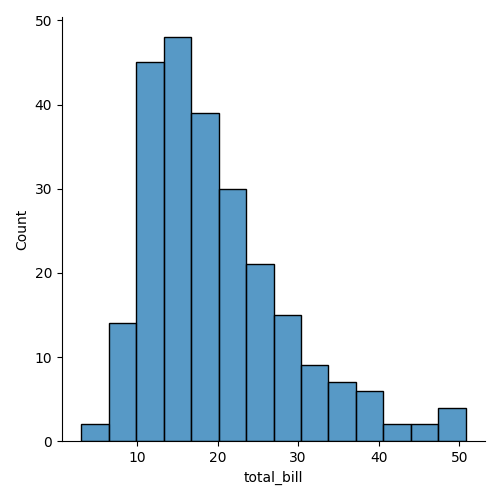
import seaborn as snsimport matplotlib.pyplot as plttips = sns.load_dataset("tips")sns.displot(data=tips, x="total_bill")plt.show()Creates a histogram of total_bill. Equivalent to sns.histplot(x="total_bill"), but as a figure-level plot.
Facet by column
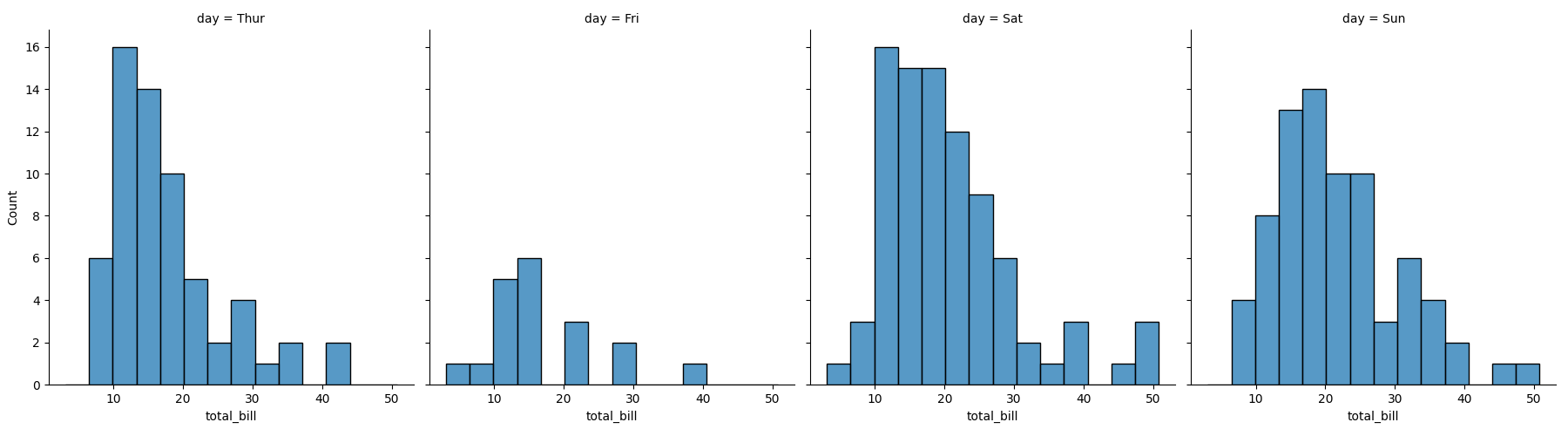
import seaborn as snsimport matplotlib.pyplot as plttips = sns.load_dataset("tips")sns.displot(data=tips, x="total_bill", col="day")plt.show()One subplot for each day.
Facet by row and column
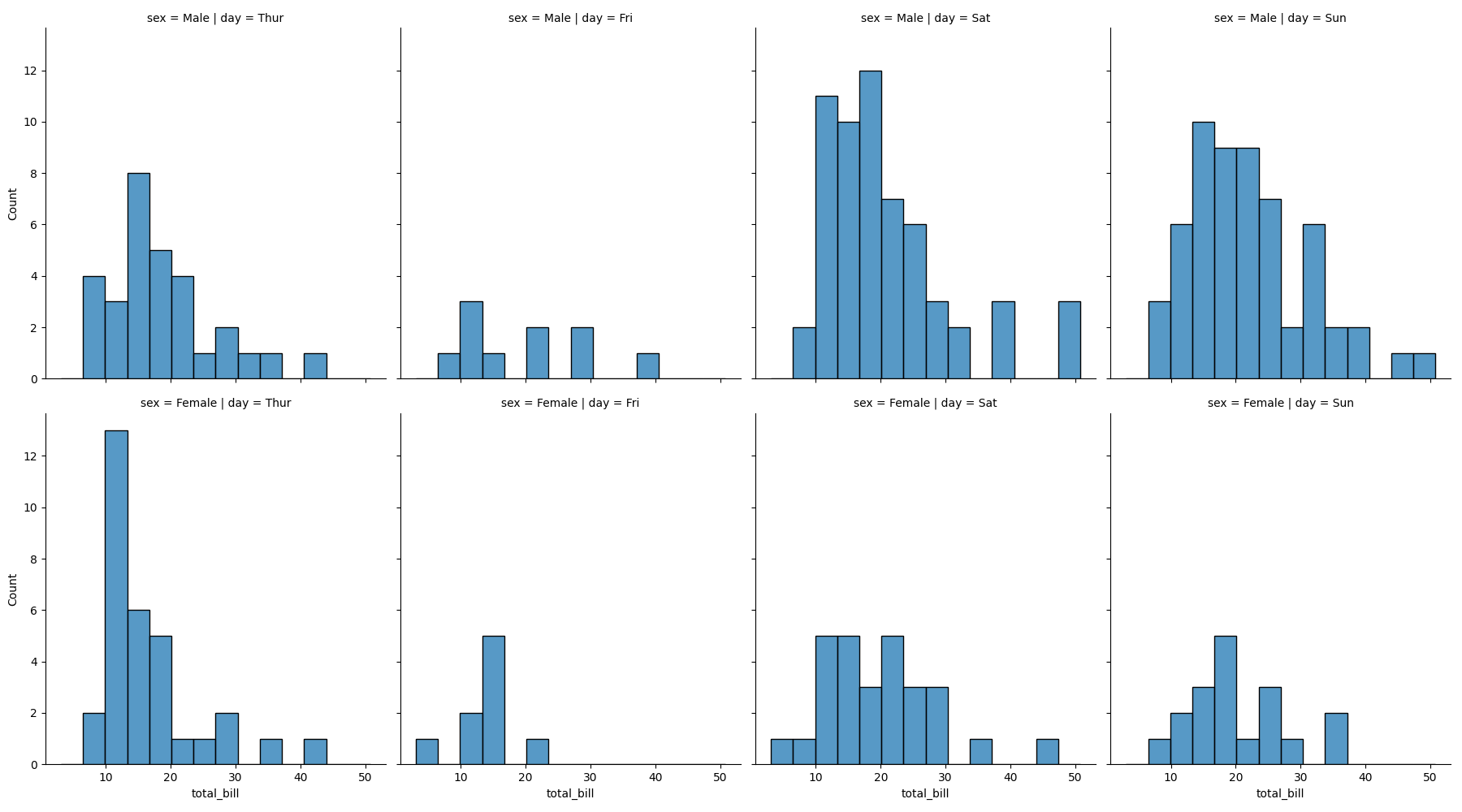
import seaborn as snsimport matplotlib.pyplot as plttips = sns.load_dataset("tips")sns.displot(data=tips, x="total_bill", col="day", row="sex")plt.show()Creates a grid of subplots by both day (columns) and sex (rows).
Customise facet appearance
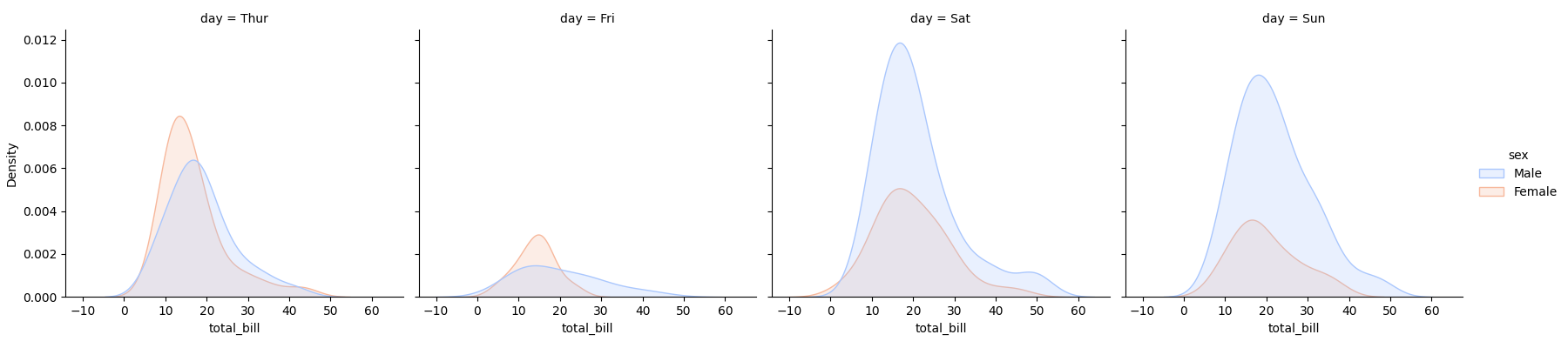
import seaborn as snsimport matplotlib.pyplot as plttips = sns.load_dataset("tips")sns.displot( data=tips, x="total_bill", col="day", hue="sex", kind="kde", fill=True, height=4, aspect=1.2, palette="coolwarm")plt.show()Adjusts subplot size (height) and shape (aspect) Adds colour-coded KDEs within each facet