ECDF - empirical cumulative distribution function
Seaborn basics
2 min read
Published Oct 7 2025, updated Aug 17 2026
Guide Sections
Guide Comments
seaborn.ecdfplot() plots the Empirical Cumulative Distribution Function (ECDF) of one or more numeric variables.
An ECDF shows, for each value, the proportion (or count) of data points less than or equal to that value.
It’s especially useful for comparing distributions and seeing how data accumulates across values — without the binning of histograms.
Syntax:
sns.ecdfplot( data=None, *, x=None, y=None, hue=None, stat="proportion", complementary=False, log_scale=False, palette=None, linewidth=None, linestyle=None, marker=None, alpha=None, ax=None, **kwargs)Parameters:
data= DataFrame containing your datax,y= Variables for ECDF axeshue= Adds subgroups (coloured lines)stat= "proportion" (default) or "count" — what the y-axis representscomplementary= If True, shows 1 - ECDF(x) (reverse cumulative)log_scale= Apply logarithmic scale to axespalette= Colour palette for hue categorieslinewidth,linestyle,marker= Line appearance controlsalpha= Transparency (0–1)
Basic example
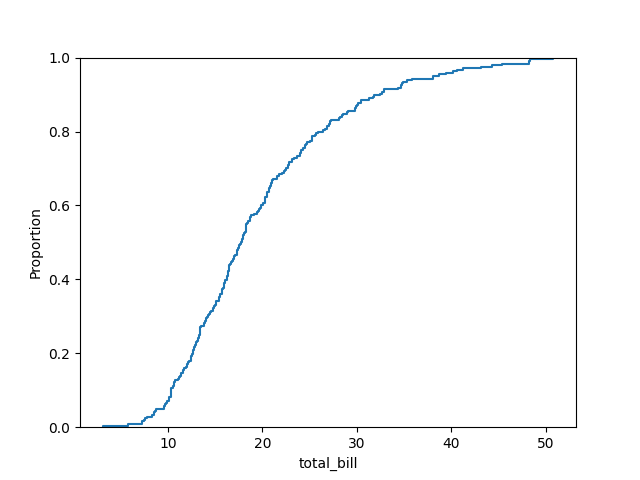
import seaborn as snsimport matplotlib.pyplot as plttips = sns.load_dataset("tips")sns.ecdfplot(data=tips, x="total_bill")plt.show()Shows how the fraction of observations increases as total_bill grows. The ECDF starts at 0 and rises smoothly to 1.
Show counts instead of proportions
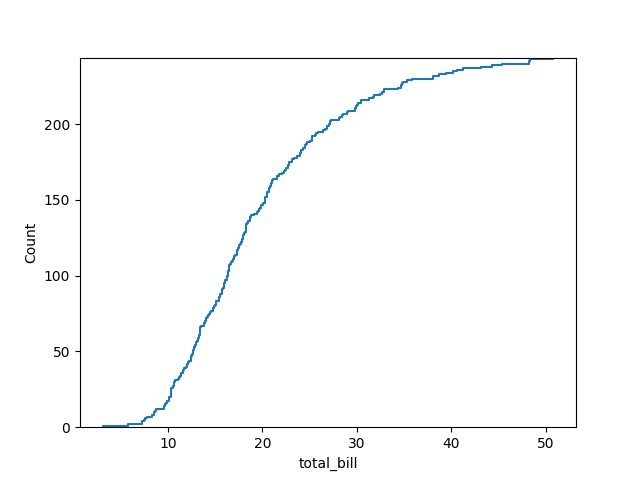
import seaborn as snsimport matplotlib.pyplot as plttips = sns.load_dataset("tips")sns.ecdfplot(data=tips, x="total_bill", stat="count")plt.show()The y-axis now shows number of observations, not proportion.
Add hue for group comparison
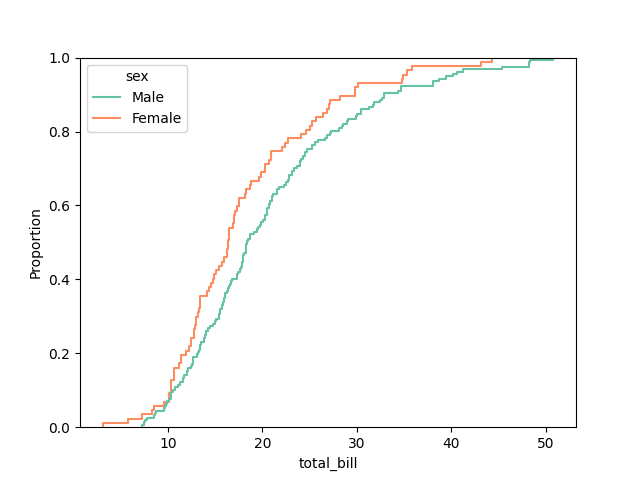
import seaborn as snsimport matplotlib.pyplot as plttips = sns.load_dataset("tips")sns.ecdfplot(data=tips, x="total_bill", hue="sex", palette="Set2")plt.show()Each colour shows a separate ECDF for that group (e.g., Male vs. Female).
Compare multiple categories
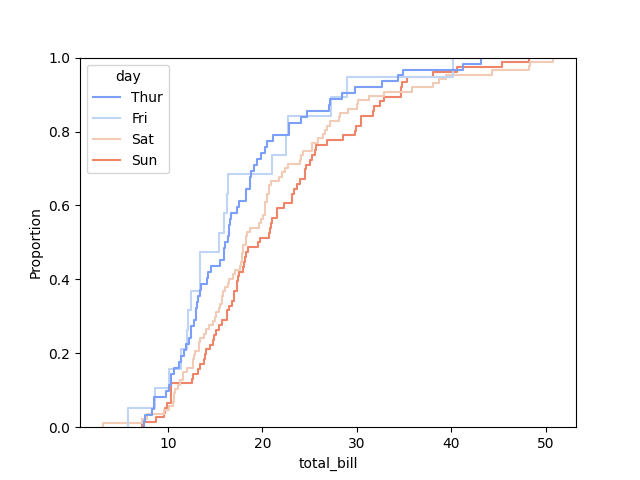
import seaborn as snsimport matplotlib.pyplot as plttips = sns.load_dataset("tips")sns.ecdfplot(data=tips, x="total_bill", hue="day", palette="coolwarm")plt.show()Easy way to compare how different days accumulate totals - the steeper the curve, the more concentrated the data.
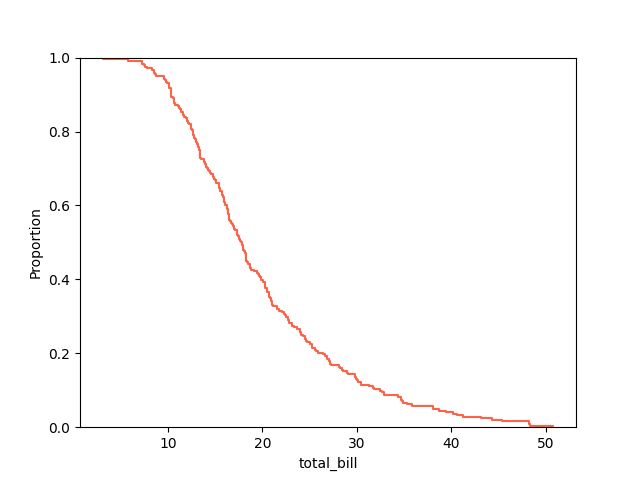
Complementary ECDF (1 − ECDF)
import seaborn as snsimport matplotlib.pyplot as plttips = sns.load_dataset("tips")sns.ecdfplot(data=tips, x="total_bill", complementary=True, color="tomato")plt.show()Shows 1 - ECDF(x), which represents, “the proportion of data points greater than x”.
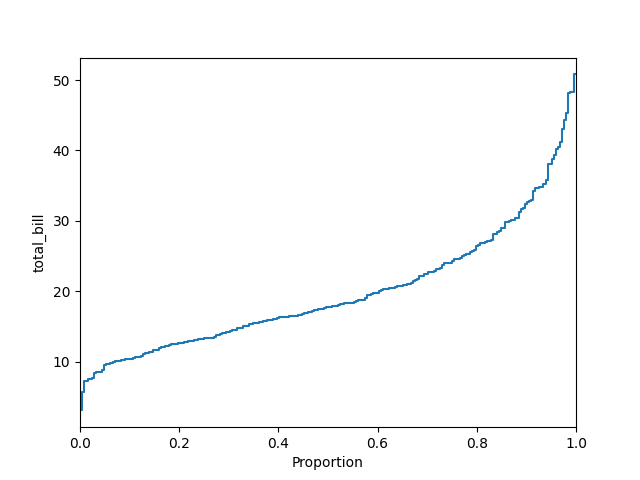
Horizontal orientation
import seaborn as snsimport matplotlib.pyplot as plttips = sns.load_dataset("tips")sns.ecdfplot(data=tips, y="total_bill")plt.show()Simply swap x for y to flip the plot orientation.
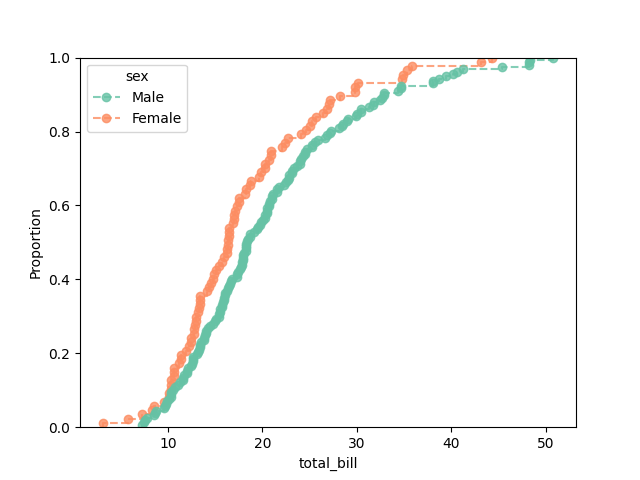
Add markers or lines
import seaborn as snsimport matplotlib.pyplot as plttips = sns.load_dataset("tips")sns.ecdfplot( data=tips, x="total_bill", hue="sex", palette="Set2", marker="o", linestyle="--", alpha=0.8)plt.show()Makes the plot more visually distinctive, especially for overlapping curves.
Logarithmic scale
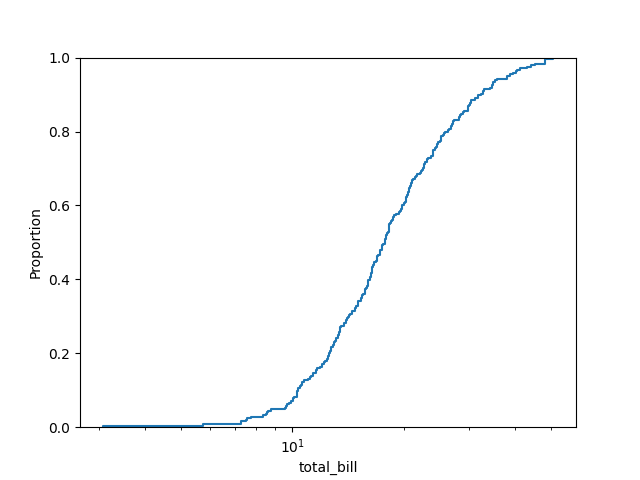
import seaborn as snsimport matplotlib.pyplot as plttips = sns.load_dataset("tips")sns.ecdfplot(data=tips, x="total_bill", log_scale=True)plt.show()Useful when values span several orders of magnitude.
Custom style example
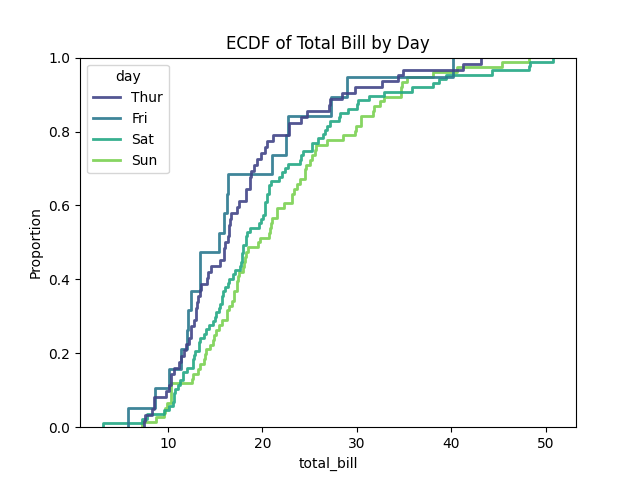
import seaborn as snsimport matplotlib.pyplot as plttips = sns.load_dataset("tips")sns.ecdfplot( data=tips, x="total_bill", hue="day", palette="viridis", linewidth=2, alpha=0.9)plt.title("ECDF of Total Bill by Day")plt.show()