LM - Linear Model plot
Seaborn basics
2 min read
This section is 2 min read, full guide is 42 min read
Published Oct 7 2025, updated Aug 17 2026
24
Show sections list
0
Log in to enable the "Like" button
0
Guide comments
0
Log in to enable the "Save" button
Respond to this guide
Guide Sections
Guide Comments
ChartsGraphsMatplotlibNumPyPandasPythonSeabornVisualisation
seaborn.lmplot() plots data points (scatter) along with a linear regression model fit, just like sns.regplot().
However, unlike regplot(), lmplot() is a figure-level function, meaning it can create:
- Multiple subplots (facets) based on categorical variables
- Grouped regressions using color (
hue)
It’s built on top of sns.regplot() and adds faceting (via FacetGrid) for multi-group or multi-category analysis.
Syntax:
sns.lmplot( data=None, *, x=None, y=None, hue=None, col=None, row=None, palette=None, col_wrap=None, height=5, aspect=1, markers=None, scatter=True, fit_reg=True, ci=95, n_boot=1000, order=1, robust=False, logx=False, truncate=True, x_estimator=None, x_bins=None, line_kws=None, scatter_kws=None, legend=True, legend_out=True, facet_kws=None, **kwargs)Parameters:
data= DataFrame containing the datax,y= Numeric variables for regressionhue= Adds subgroups (different colours and regression lines)col,row= Facet the data into multiple subplotspalette= Colour palette for hue groupscol_wrap= Wrap facet columns into multiple rowsheight= Height (in inches) of each facetaspect= Aspect ratio (width/height) of each facetorder= Degree of polynomial regression (1 = linear)robust= Use robust regression to reduce outlier influenceci= Confidence interval width (in %)line_kws= Keyword args for line (colour, style, width, etc.)scatter_kws= Keyword args for scatter pointslegend= Show/hide legendlegend_out= Place legend outside the plot gridfacet_kws= Pass additional parameters to the FacetGrid
Basic example
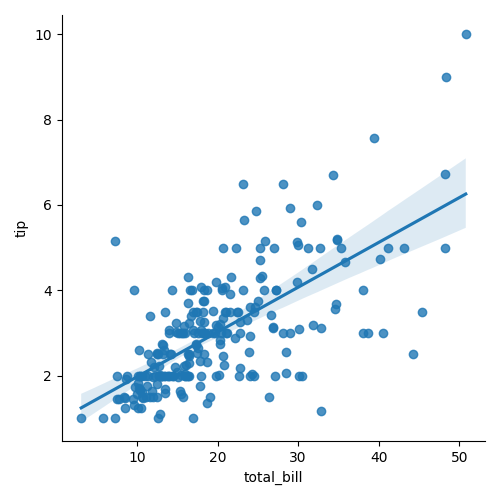
import seaborn as snsimport matplotlib.pyplot as plttips = sns.load_dataset("tips")sns.lmplot(data=tips, x="total_bill", y="tip")plt.show()Plots a scatterplot with a regression line and 95% confidence interval. Figure-level → creates its own figure and axes.
Facet into multiple columns
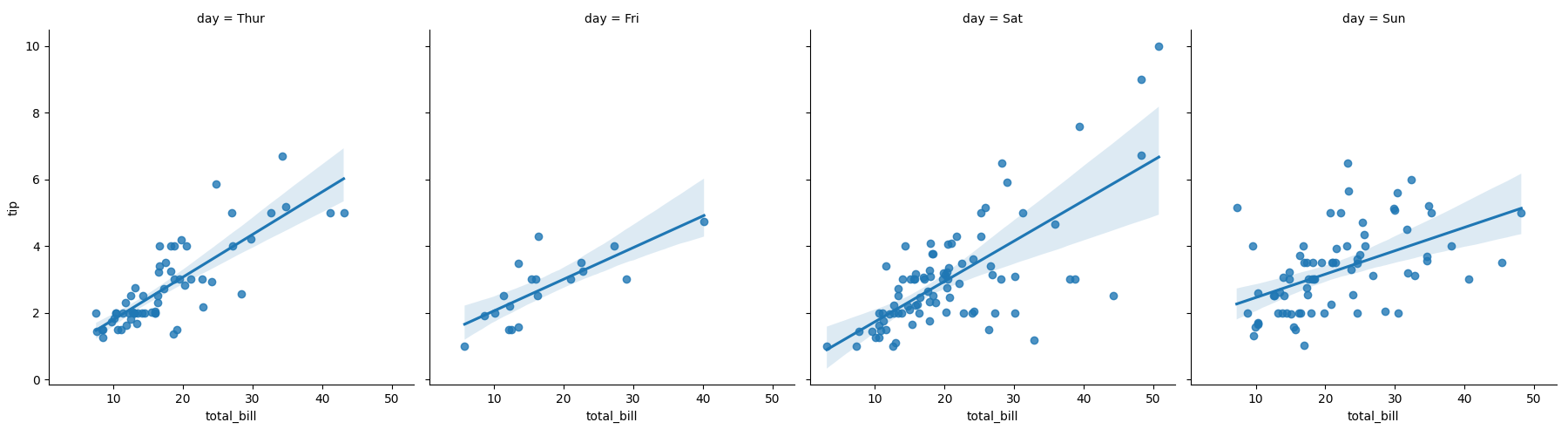
import seaborn as snsimport matplotlib.pyplot as plttips = sns.load_dataset("tips")sns.lmplot(data=tips, x="total_bill", y="tip", col="day")plt.show()Creates one subplot per day. Each shows its own scatter + regression line.
Facet by rows and columns
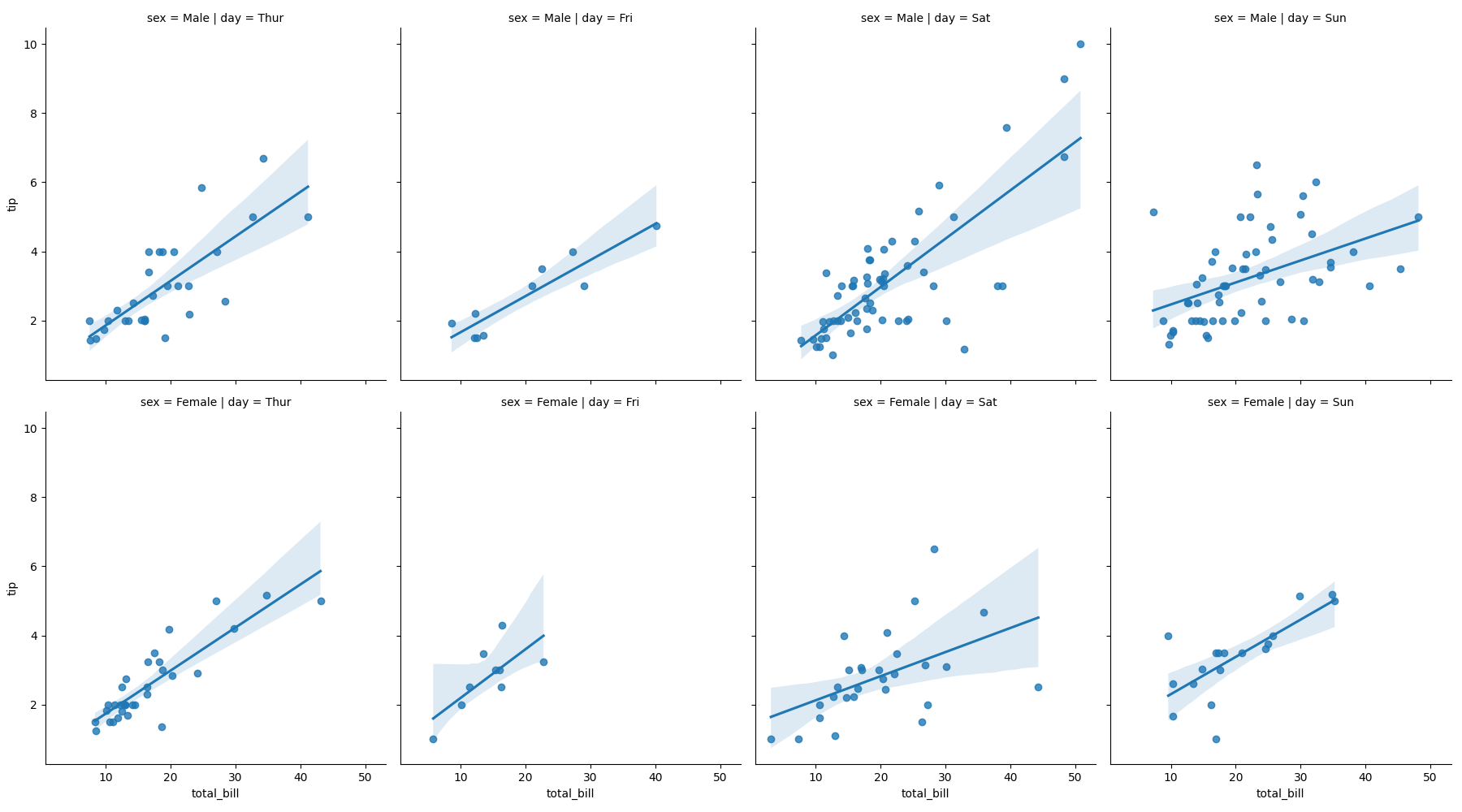
import seaborn as snsimport matplotlib.pyplot as plttips = sns.load_dataset("tips")sns.lmplot(data=tips, x="total_bill", y="tip", col="day", row="sex")plt.show()Creates a grid of subplots, split by both day (columns) and sex (rows).
Wrap columns across rows
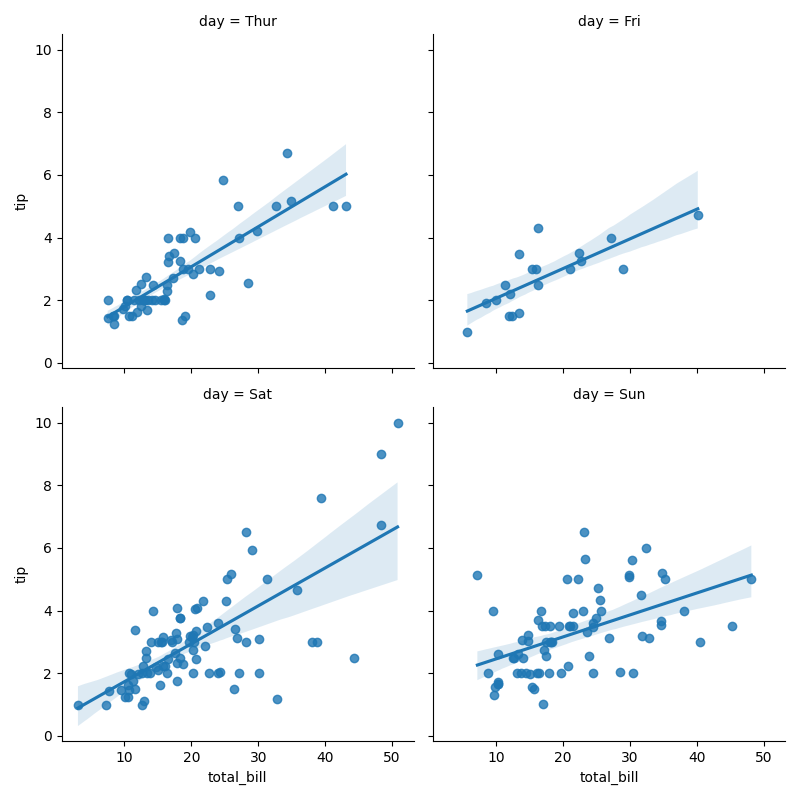
import seaborn as snsimport matplotlib.pyplot as plttips = sns.load_dataset("tips")sns.lmplot( data=tips, x="total_bill", y="tip", col="day", col_wrap=2, height=4)plt.show()Creates 2 columns per row (better layout for many facets).
Compare groups side-by-side
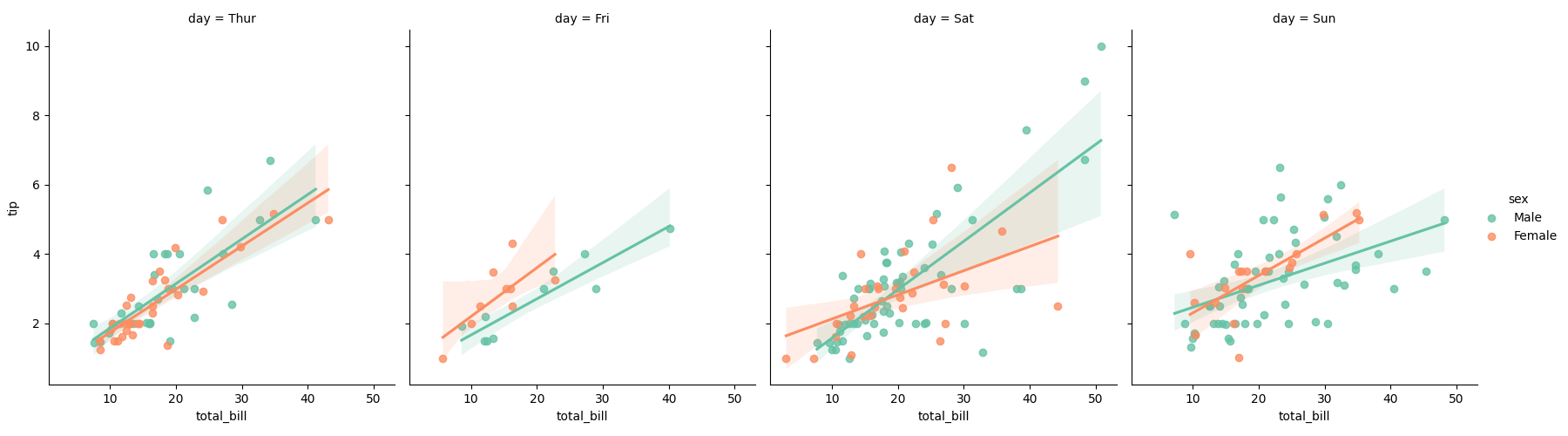
import seaborn as snsimport matplotlib.pyplot as plttips = sns.load_dataset("tips")sns.lmplot( data=tips, x="total_bill", y="tip", hue="sex", col="day", palette="Set2")plt.show()Multiple regression lines across columns for day, coloured by sex.