Regression line plot
Seaborn basics
2 min read
Published Oct 7 2025, updated Aug 17 2026
Guide Sections
Guide Comments
seaborn.regplot() plots data points (scatter) along with a regression line (best-fit line).
It is an axes-level function (draws on a single subplot).
It’s mainly used to visualise the relationship between two numeric variables, showing both the trend (linear regression) and the data spread.
Syntax:
sns.regplot( data=None, *, x=None, y=None, x_estimator=None, x_bins=None, x_ci='ci', scatter=True, fit_reg=True, order=1, robust=False, logx=False, ci=95, n_boot=1000, seed=None, line_kws=None, scatter_kws=None, color=None, marker='o', ax=None, **kwargs)Parameters:
data= DataFrame containing the datax,y= Numeric variables for regressionscatter= If True, shows scatter pointsfit_reg= If True, draws regression lineorder= Degree of polynomial (1 = linear)robust= Use robust regression (less sensitive to outliers)logx= If True, log-transform the x-axisci= Confidence interval around regression line (in %)line_kws= Dictionary of keyword args for the line (e.g., colour, linestyle)scatter_kws= Dictionary of keyword args for scatter pointscolor= Base colour for both scatter and lineax= Axis to plot on (for subplot use)
Basic example
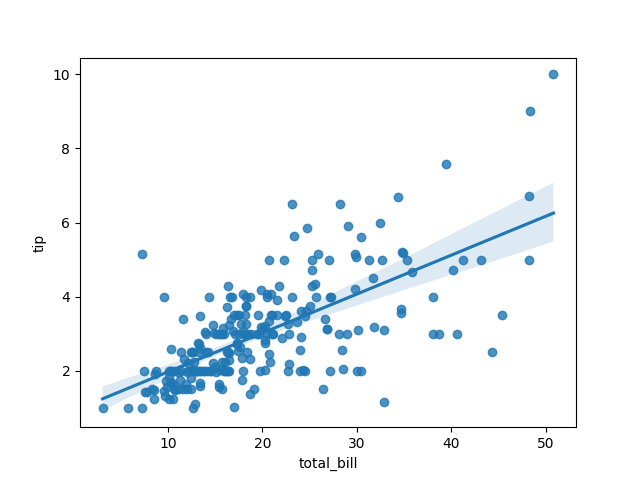
import seaborn as snsimport matplotlib.pyplot as plttips = sns.load_dataset("tips")sns.regplot(data=tips, x="total_bill", y="tip")plt.show()Plots a scatterplot with a best-fit linear regression line. The shaded area shows the 95% confidence interval.
Turn off scatter or line
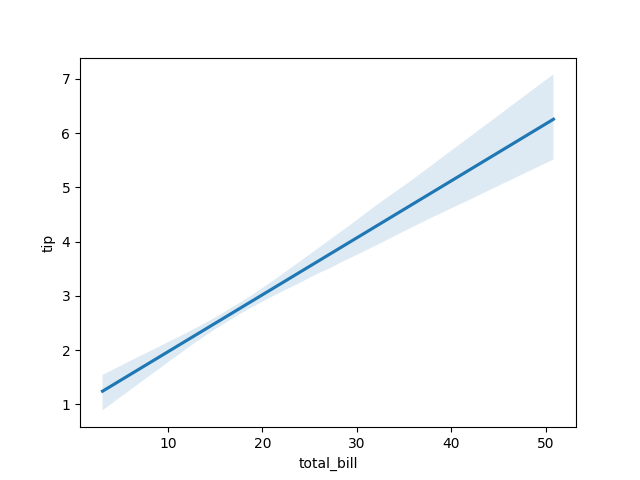
Line Only:
import seaborn as snsimport matplotlib.pyplot as plttips = sns.load_dataset("tips")sns.regplot(data=tips, x="total_bill", y="tip", scatter=False)plt.show()Shows only the regression line.
Scatter Only:
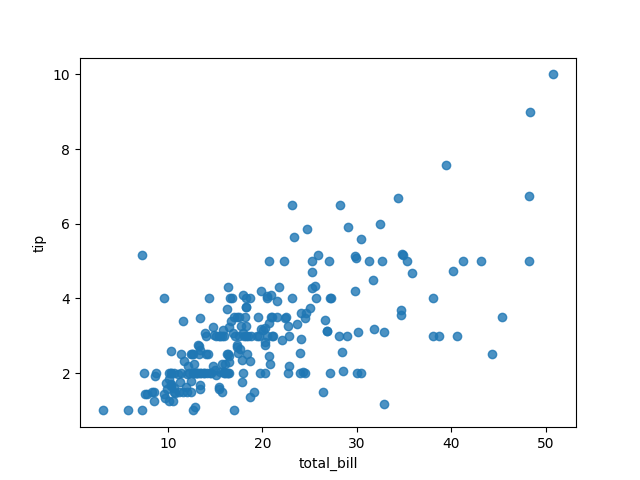
import seaborn as snsimport matplotlib.pyplot as plttips = sns.load_dataset("tips")sns.regplot(data=tips, x="total_bill", y="tip", fit_reg=False)plt.show()Shows only the scatter points (same as sns.scatterplot()).
Change line appearance
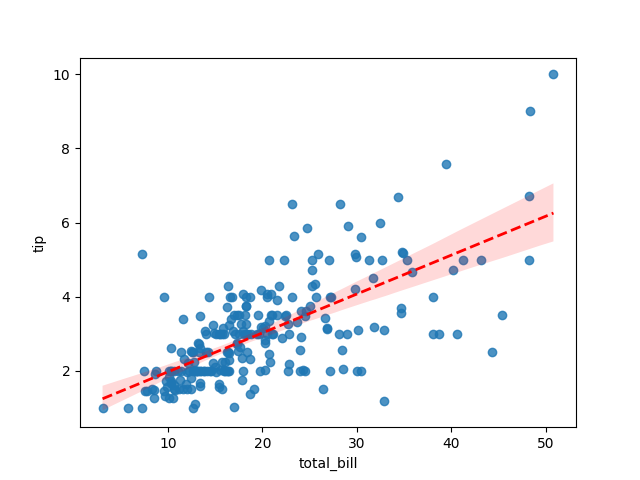
import seaborn as snsimport matplotlib.pyplot as plttips = sns.load_dataset("tips")sns.regplot( data=tips, x="total_bill", y="tip", line_kws={"color": "red", "linestyle": "--", "linewidth": 2})plt.show()Customises line colour, style, and width.
Add scatter customisation
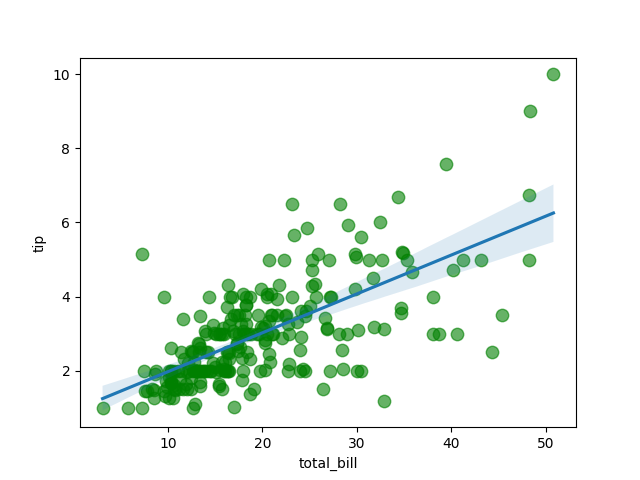
import seaborn as snsimport matplotlib.pyplot as plttips = sns.load_dataset("tips")sns.regplot( data=tips, x="total_bill", y="tip", scatter_kws={"s": 80, "alpha": 0.6, "color": "green"})plt.show()Adjusts point size (s), transparency (alpha), and colour.
Polynomial regression (nonlinear)
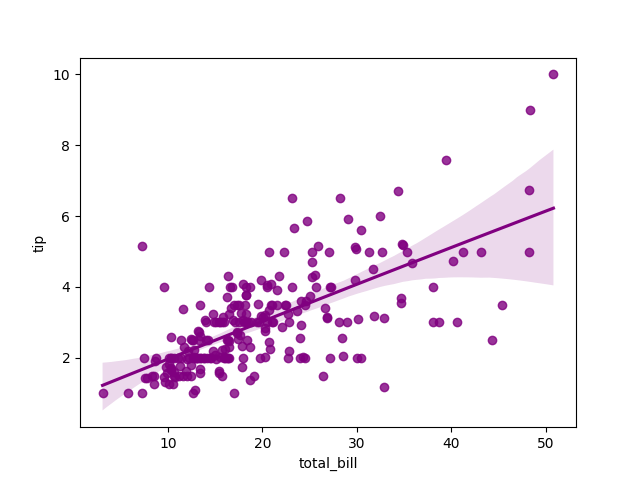
import seaborn as snsimport matplotlib.pyplot as plttips = sns.load_dataset("tips")sns.regplot(data=tips, x="total_bill", y="tip", order=2, color="purple")plt.show()Fits a 2nd-degree polynomial (curve instead of straight line). You can use higher orders (e.g., order=3) for more curvature.
Robust regression
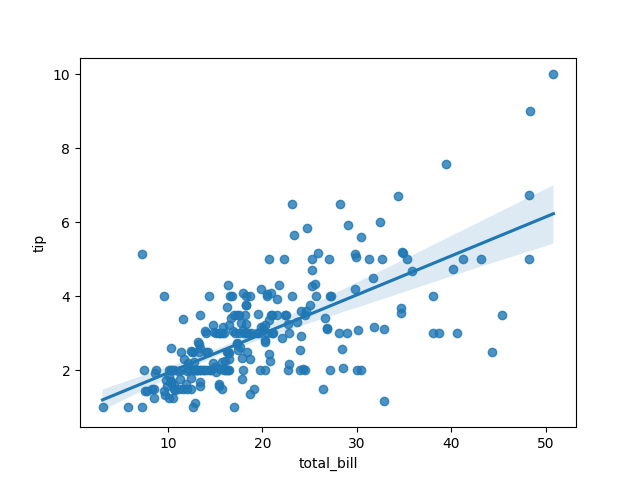
import seaborn as snsimport matplotlib.pyplot as plttips = sns.load_dataset("tips")sns.regplot(data=tips, x="total_bill", y="tip", robust=True)plt.show()Uses a robust estimator to reduce the effect of outliers on the regression line.
Logarithmic x-axis
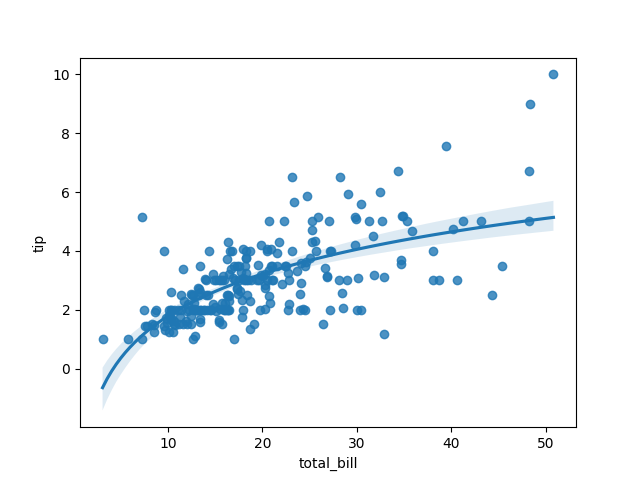
import seaborn as snsimport matplotlib.pyplot as plttips = sns.load_dataset("tips")sns.regplot(data=tips, x="total_bill", y="tip", logx=True)plt.show()Applies a log transformation to the x-axis — useful for skewed data.
Change confidence interval
import seaborn as snsimport matplotlib.pyplot as plttips = sns.load_dataset("tips")sns.regplot(data=tips, x="total_bill", y="tip", ci=68)plt.show()Shows a 68% confidence interval instead of the default 95%. Set ci=None to remove the shaded band completely.

Binned regression (x_bins)
import seaborn as snsimport matplotlib.pyplot as plttips = sns.load_dataset("tips")sns.regplot(data=tips, x="total_bill", y="tip", x_bins=10)plt.show()Groups data along the x-axis into bins, showing average y-values for each bin. Useful for very large datasets or when data are not evenly distributed.

Weighted regression (x_estimator)
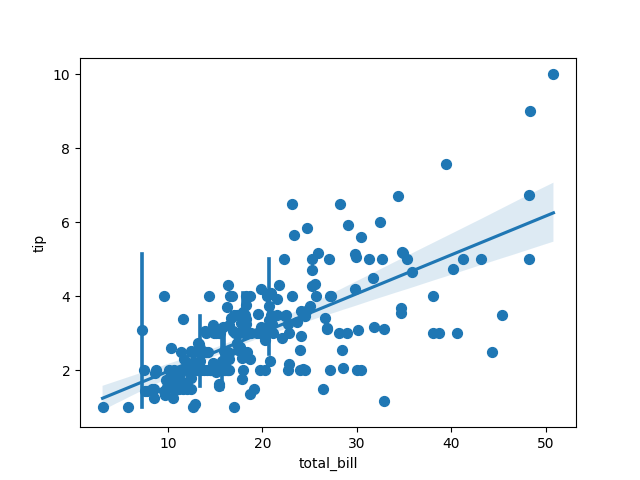
import seaborn as snsimport matplotlib.pyplot as pltimport numpy as nptips = sns.load_dataset("tips")sns.regplot(data=tips, x="total_bill", y="tip", x_estimator=np.mean)plt.show()Aggregates y values within x bins (using mean, median, etc.) before fitting the line.
Customise colors and markers
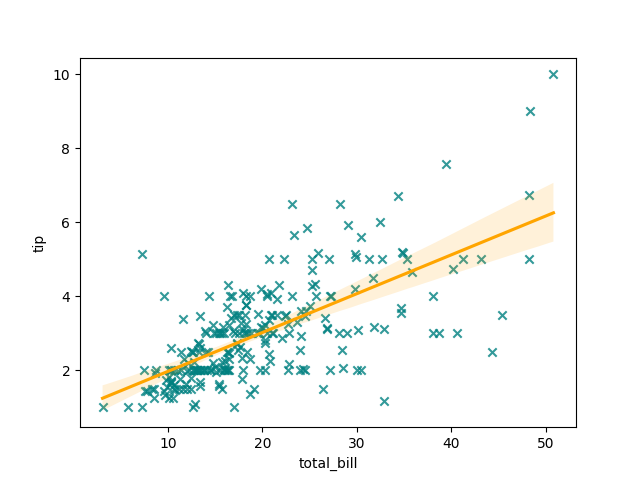
import seaborn as snsimport matplotlib.pyplot as plttips = sns.load_dataset("tips")sns.regplot( data=tips, x="total_bill", y="tip", color="teal", marker="x", line_kws={"color": "orange"})plt.show()Marker and line customised separately.
Combine with other plots
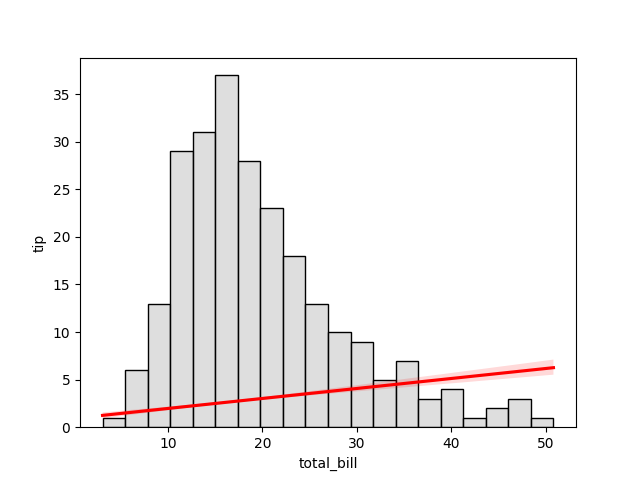
Example — regression line on top of a histogram of x:
import seaborn as snsimport matplotlib.pyplot as plttips = sns.load_dataset("tips")sns.histplot(data=tips, x="total_bill", bins=20, color="lightgray")sns.regplot(data=tips, x="total_bill", y="tip", scatter=False, color="red")plt.show()Regression line overlays a histogram background.