Using Seaborn charts in Matplotlib multi-chart layouts
Seaborn basics
1 min read
This section is 1 min read, full guide is 42 min read
Published Oct 7 2025, updated Aug 17 2026
24
Show sections list
0
Log in to enable the "Like" button
0
Guide comments
0
Log in to enable the "Save" button
Respond to this guide
Guide Sections
Guide Comments
ChartsGraphsMatplotlibNumPyPandasPythonSeabornVisualisation
Seaborn has two types of charts. Some are Axes level charts and some are Figure level charts.
Type | Description | Examples |
Axes-level | Draw on a specific Matplotlib |
|
Figure-level | Create their own entire Figure (often with multiple subplots/facets) — not easily embedded in an existing layout |
|
Axes-level plots return a Matplotlib Axes object, meaning you can:
- Combine them into multi-plot layouts
- Add annotations, titles, or shared axes
- Overlay or compose them with other Matplotlib plots
Example:
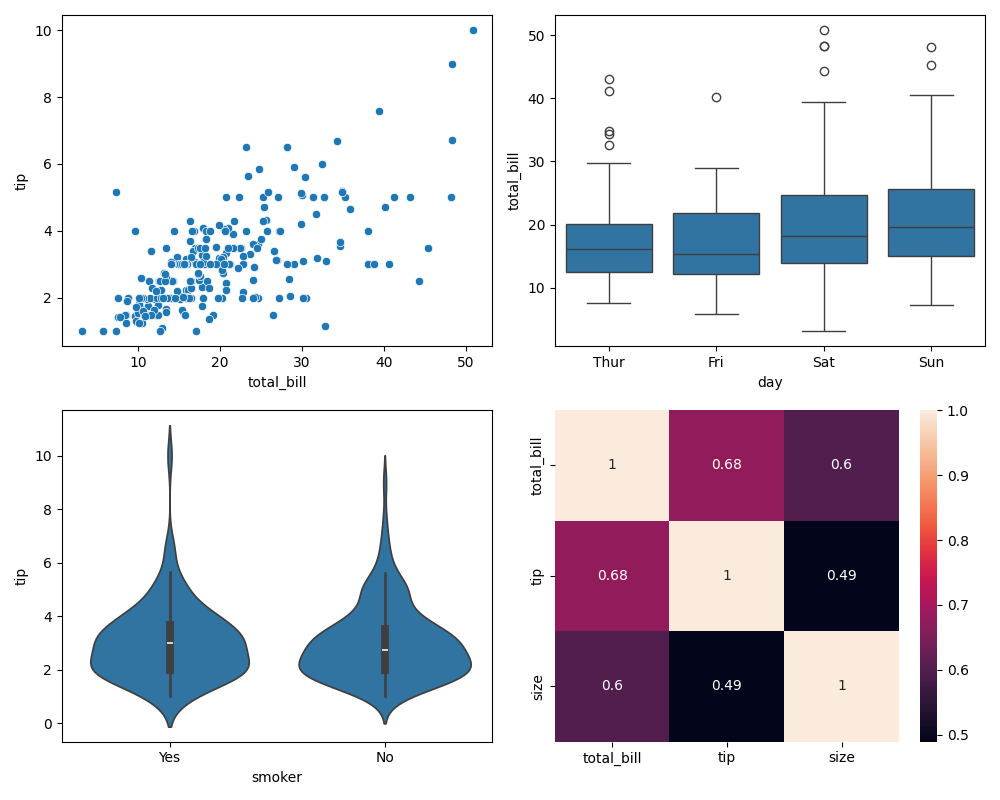
import seaborn as snsimport matplotlib.pyplot as plttips = sns.load_dataset("tips")fig, axs = plt.subplots(2, 2, figsize=(10, 8))sns.scatterplot(data=tips, x="total_bill", y="tip", ax=axs[0, 0])sns.boxplot(data=tips, x="day", y="total_bill", ax=axs[0, 1])sns.violinplot(data=tips, x="smoker", y="tip", ax=axs[1, 0])sns.heatmap(tips.corr(numeric_only=True), annot=True, ax=axs[1, 1])plt.tight_layout()plt.show()Each subplot is a Seaborn plot embedded into a Matplotlib dashboard. You can freely mix Seaborn and Matplotlib plots.